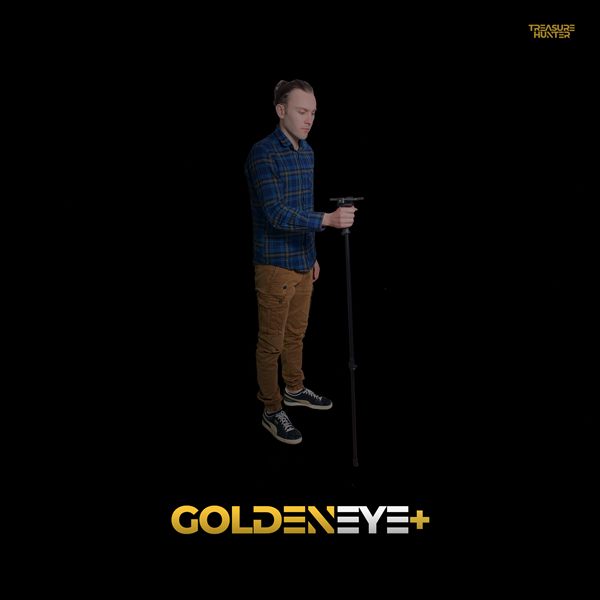
Handheld Detectors Overview
Before using your detector, read the Safety Warnings page. Always follow local laws and regulations regarding metal detecting in your area.
TreasureHunter3D offers a range of handheld metal detectors that pair with the TreasureHunter3D Visualizer smartphone app to deliver real-time scanning, 3D ground mapping, and audio detection — all in a compact, lightweight rod you carry with you.
Product Range
| Model | Key Feature |
|---|---|
| TreasureHunter | Entry-level handheld detector — 3D Basic scan mode |
| GoldenEye | Adds camera tagging and Position Indicator in 3D Advanced mode |
| GoldenEye Plus | Full Professional 3D mode with AR overlay and adjustable resolution |
| TreasureLight | Compact sensor probe with built-in illumination light |
The TreasureHunter3D Visualizer App
All handheld detectors are controlled through the TreasureHunter3D Visualizer app — free to download for iOS and Android.
The Professional 3D scan mode (GoldenEye Plus only) requires an iPhone 6S or later running iOS 11 or later.
What Can You Find?
The handheld detectors build a 3D map of buried objects — showing where to dig before you break ground. Typical targets include:
- Buried coins, rings, and jewelry
- Hidden caches and relics
- Underground metallic objects at depths of up to several metres (depending on size and soil)
The colour-coded scan grid shows red for highest-probability targets, yellow for probable, and green for clear ground — so you only dig where it counts.
Comparison of Basic, Advanced, and Professional 3D scanning modes across the TreasureHunter3D detector range.
Who Are the Handheld Detectors For?
| You want… | Best model |
|---|---|
| Lowest entry price | TreasureLight (€1,799) |
| Full handheld rod at entry level | TreasureHunter (€2,399) |
| Camera tagging + Position Indicator | GoldenEye (€3,299) |
| AR overlay + Professional 3D + largest scan areas | GoldenEye Plus (€4,299) |
See the product comparison or the which product guide for a side-by-side breakdown.
What is DroneRover?
Looking for the aerial scanning system? See the DroneRover documentation.
Related Pages
- 3D Ground Mapping Use Case — how to get the most from your handheld detector
- Troubleshooting — common issues and fixes
- FAQ — frequently asked questions
Frequently Asked Questions
What smartphone do I need for TreasureHunter3D detectors?
The TreasureHunter3D Visualizer app is available for iOS (iPhone 6s or later) and Android. The Professional 3D scan mode (GoldenEye Plus only) requires an iPhone 6s or later running iOS 11 or later.
What is the difference between Basic, Advanced, and Professional 3D scan modes?
Basic (TreasureHunter, TreasureLight) provides a simple 3D heat map. Advanced (GoldenEye) adds camera photo tagging and Position Indicator. Professional (GoldenEye Plus only) adds AR overlay, adjustable scan resolution, and larger scan areas.
How deep can the handheld detectors scan?
Scan depth varies by model and soil conditions. The GoldenEye Plus in Professional 3D mode can detect objects at depths of 3–4 metres under optimal conditions. Entry-level models detect at shallower depths.
Do I need an internet connection to use the TreasureHunter3D app?
No. The TreasureHunter3D Visualizer app works fully offline. An internet connection is only needed for the initial download and app updates.