Reading Colors and Shapes
Discrimination — figuring out what kind of object is buried before you dig — comes from combining two things in your scan data: color and signal shape. Together they give you a strong indication of an object's material, and even a rough sense of its size and depth.
Balancing to Ground Zero
Before any scan, the detector must be balanced. Press the detector button with no metal objects nearby — the detector sets its baseline reading to green, which represents ground zero (no target).
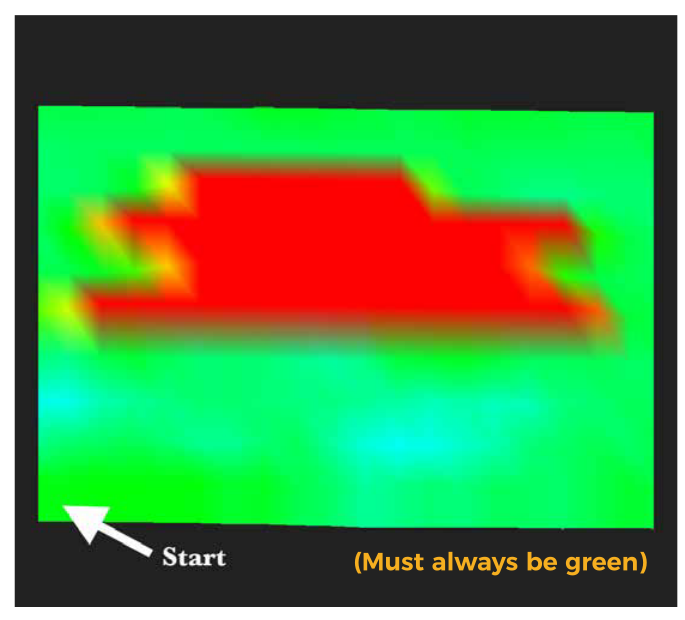
Re-balance before every scan. If a metal object is near the detector during balancing, the baseline will be off and the whole scan will read false positives.
Color Legend
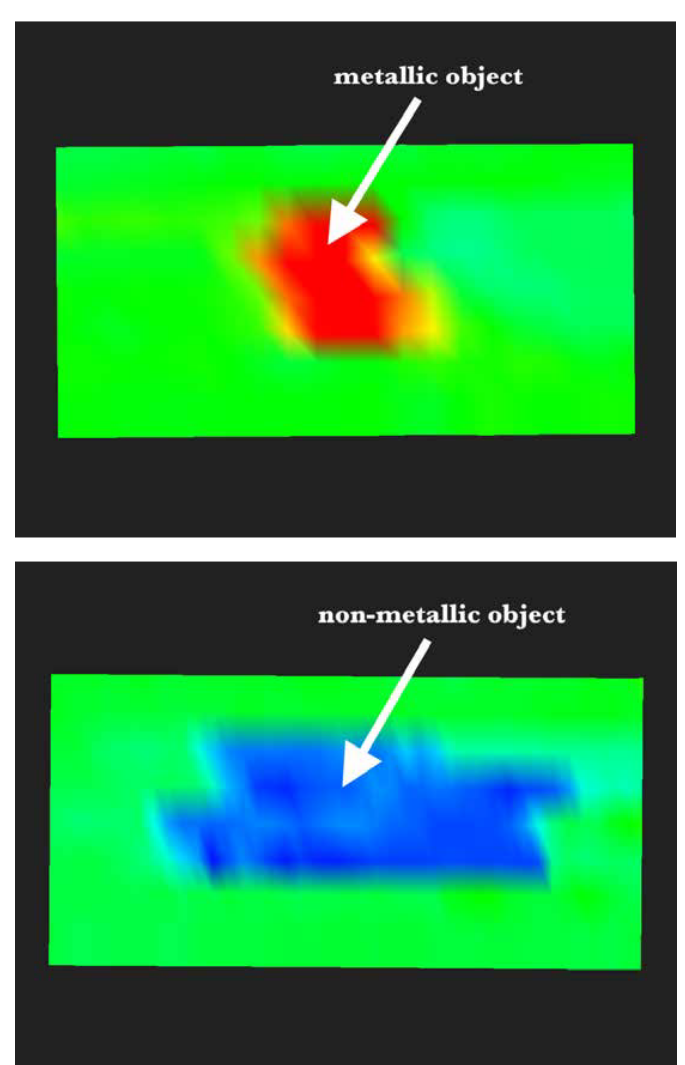
Once balanced, any color other than green marks a detected object or ground anomaly:
| Color | Reading | Likely material |
|---|---|---|
| Green | Ground zero — no target | — |
| Red / Orange / Yellow | Positive signal | Metallic object (ferromagnetic or non-ferromagnetic) |
| Blue / Light blue | Negative signal | Non-metallic object or void |
Reading the Signal Shape
Color alone tells you positive or negative — shape tells you which kind of material. Switch to Quick Scan and look at the 2D signal line for one of three signature shapes:
Ferromagnetic (iron, steel)
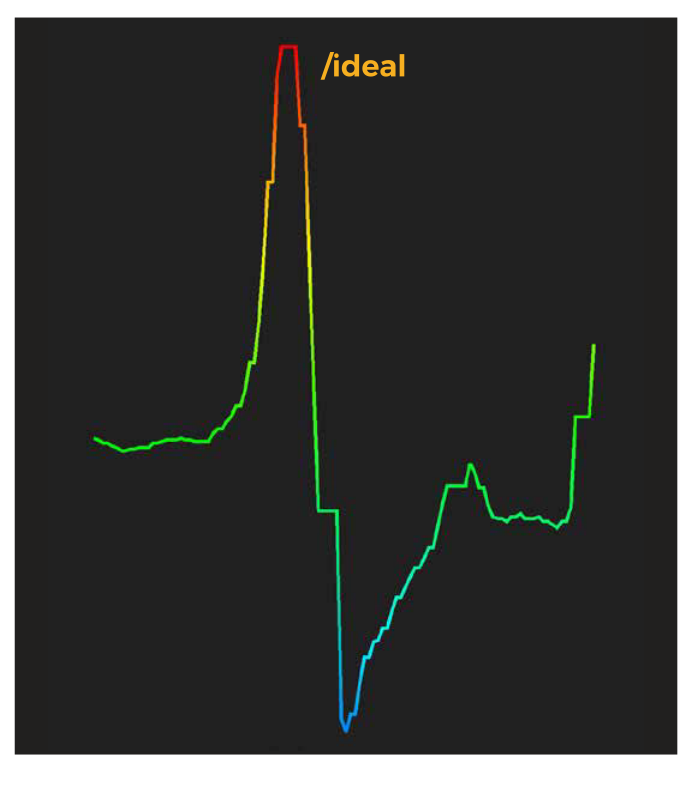
The signal goes from red (positive) straight into blue (negative) — a single sine-wave shape.
Non-ferromagnetic (gold, silver, copper, brass)
The signal stays entirely in the red/orange/yellow zone and shows a signature two-peak shape.
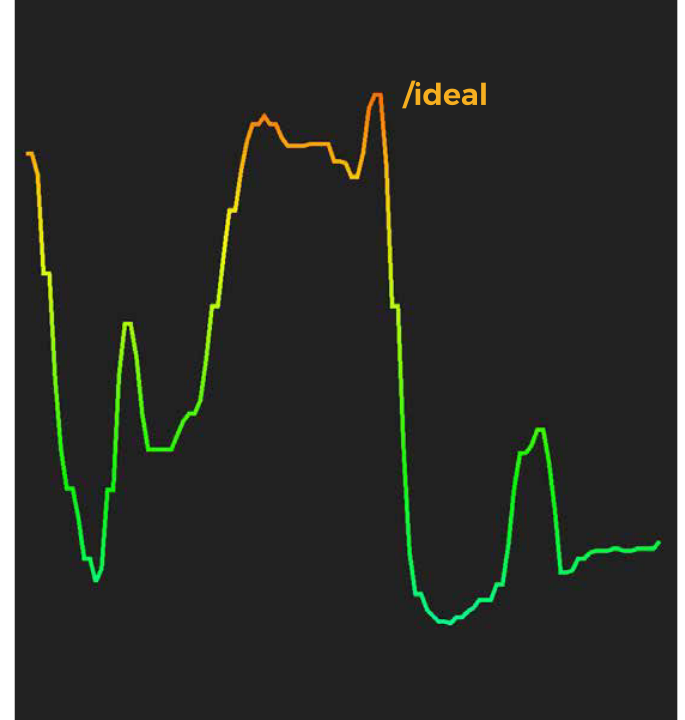
Non-metallic (voids, plastic, stone)
The signal is entirely negative, staying in the blue/light blue zone with no positive peak.
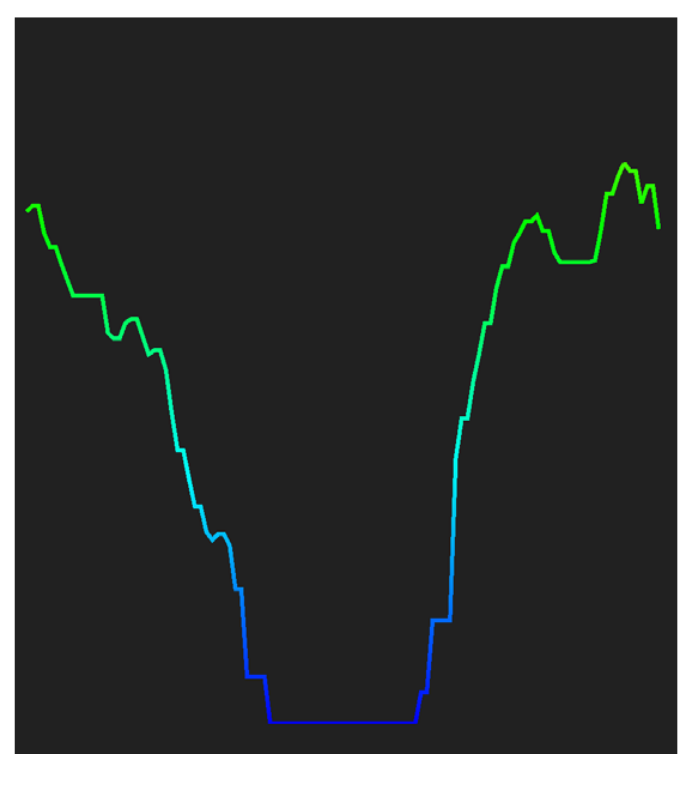
Quick Reference
| Material | Color range | Signal shape |
|---|---|---|
| Ferromagnetic | Red → Blue | Single sine wave (positive to negative) |
| Non-ferromagnetic | Red / Orange / Yellow only | Two peaks |
| Non-metallic / void | Blue / Light blue only | Single negative dip |
These are ideal shapes recorded in controlled conditions. Real-world soil type, mineralization, and the number of objects in the same spot can distort the signal — see Factors That Affect Scan Results for what to expect and how to compensate.
Next Steps
- Factors That Affect Scan Results — how depth, size, position, and rotation change what you see
- 3D Scan Interpretation Examples — worked examples applying color and shape to real object types