Smart Control Unit
The smart control unit is the main interface of the GoldHunter detector. It holds the smartphone, contains all physical controls, and connects to the GoldHunter app via Bluetooth.
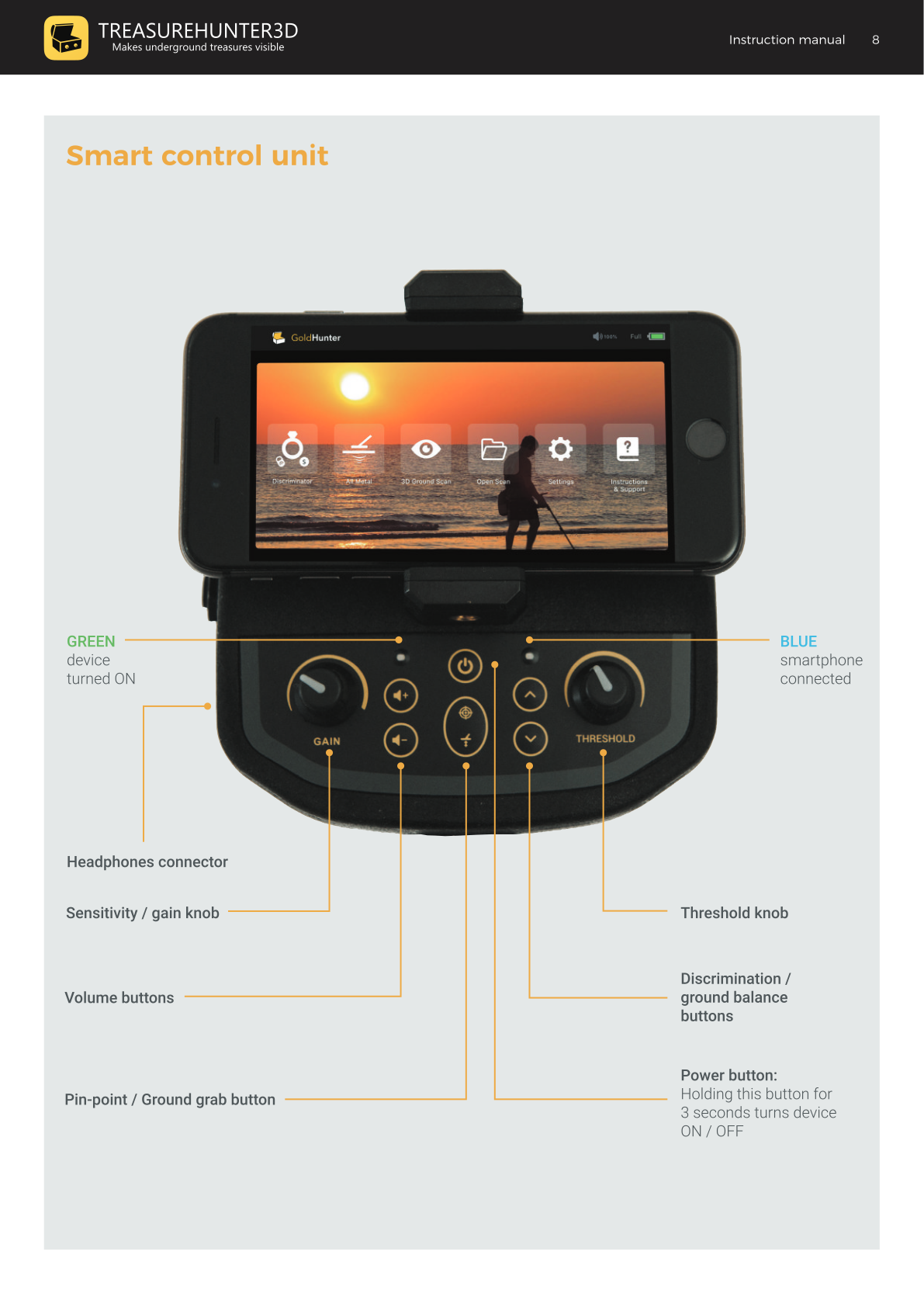
LED Indicators
| LED Color | Meaning |
|---|---|
| Green (solid) | Device is ON |
| Blue (solid) | Device is ON and smartphone connected |
| Blinking | Battery is empty — replace or recharge |
Controls Reference
| Control | Location | Function |
|---|---|---|
| Power button | Centre | Hold > 3 seconds to turn ON / OFF. Short press switches mode when used without the app. |
| Sensitivity / Gain knob | Left | Controls detection sensitivity. Turn clockwise to increase. |
| Threshold knob | Right | Sets the background hum level in All-Metal mode. |
| Volume buttons (+/-) | Left of centre | Increase or decrease speaker/headphone volume. |
| Discrimination / Ground Balance buttons (+/-) | Right of centre | Adjusts discrimination level (Discriminator mode) or fine-tunes ground balance (All-Metal mode). |
| Pin-point / Ground Grab (GG) button | Centre bottom | Press and hold for pin-point mode (Discriminator) or to perform automatic ground balance (All-Metal). |
| Headphones connector | Left side | Standard audio jack for headphones. |

GoldHunter
Metal Detector with 3D Smartphone Visualization
€2,499· ★★★★½ 4.8 (36 reviews)
GoldHunter — free iOS app required for 3D scanning