GoldHunter Assembly — Step-by-Step Setup Guide
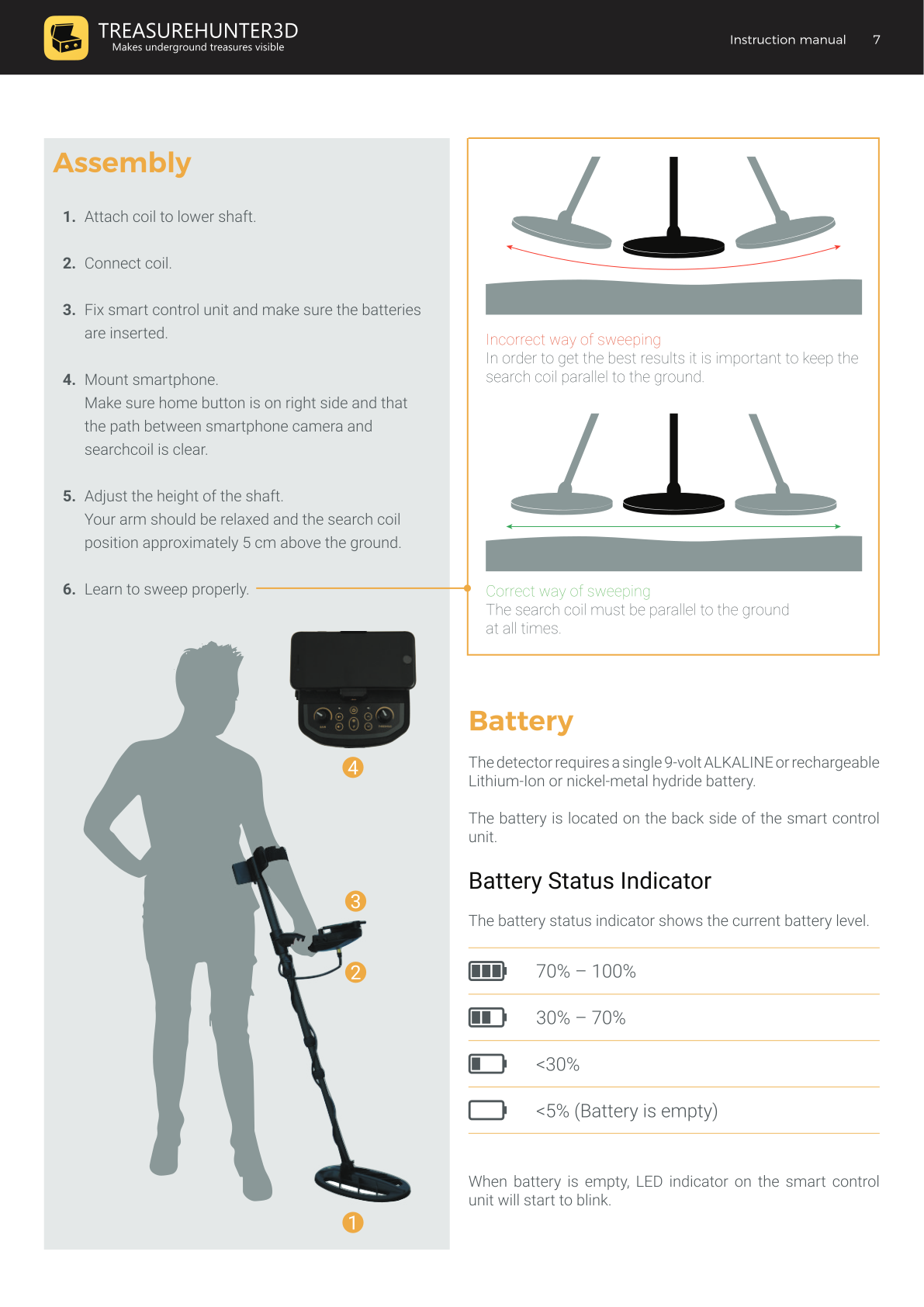
Assembly Steps
- Attach the coil to the lower shaft.
- Connect the coil cable to the smart control unit.
- Fix the smart control unit on the shaft and make sure the battery is inserted.
- Mount your smartphone in the holder.
- Ensure the home button is on the right side.
- Make sure the path between the smartphone camera and the searchcoil is clear.
- Adjust shaft height so your arm is relaxed and the search coil sits approximately 5 cm above the ground.
- Learn to sweep properly — see below.
Sweeping Technique
The search coil must be parallel to the ground at all times.
- Keep the coil level as you sweep from side to side.
- Tilting the coil during a sweep produces inaccurate readings and missed targets.
- Walk slowly and maintain a consistent height throughout the sweep.
Battery
The detector requires a single 9-volt battery — ALKALINE or rechargeable Lithium-Ion or nickel-metal hydride.
The battery is located on the back side of the smart control unit.
Battery Status Indicator
The battery level is shown on the app screen:
| Indicator | Battery level |
|---|---|
| Full bars | 70% – 100% |
| Two bars | 30% – 70% |
| One bar | < 30% |
| Empty | < 5% (battery is empty) |
When the battery is empty, the LED indicator on the smart control unit will start to blink. Replace or recharge the battery before continuing.
tip
When the detector is not used for a longer period, always remove the battery to prevent leakage damage.
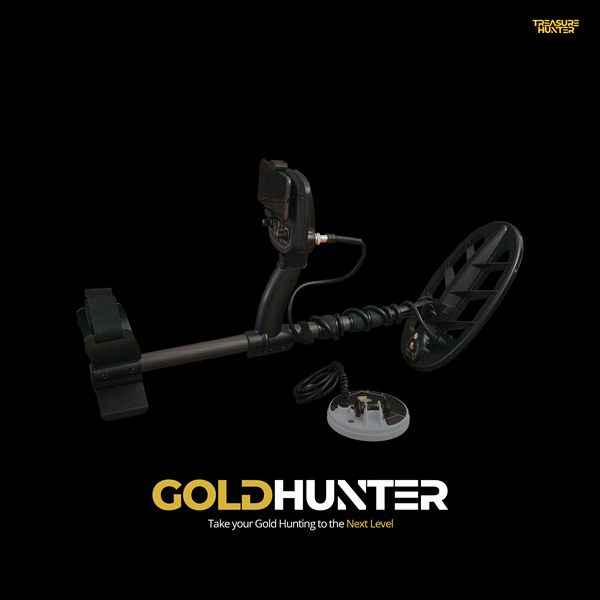
GoldHunter
Metal Detector with 3D Smartphone Visualization
€2,499· ★★★★½ 4.8 (36 reviews)
GoldHunter — free iOS app required for 3D scanning