3D Ground Scan Mode
3D Ground Scan mode lets you sweep the searchcoil over an area and visualize buried objects as a 3D heat map on your smartphone screen — before you dig.
tip
Familiarise yourself with Discrimination mode before using 3D Ground Scan. Understanding how the detector responds to targets will make your 3D results easier to interpret.
Performing a 3D Ground Scan
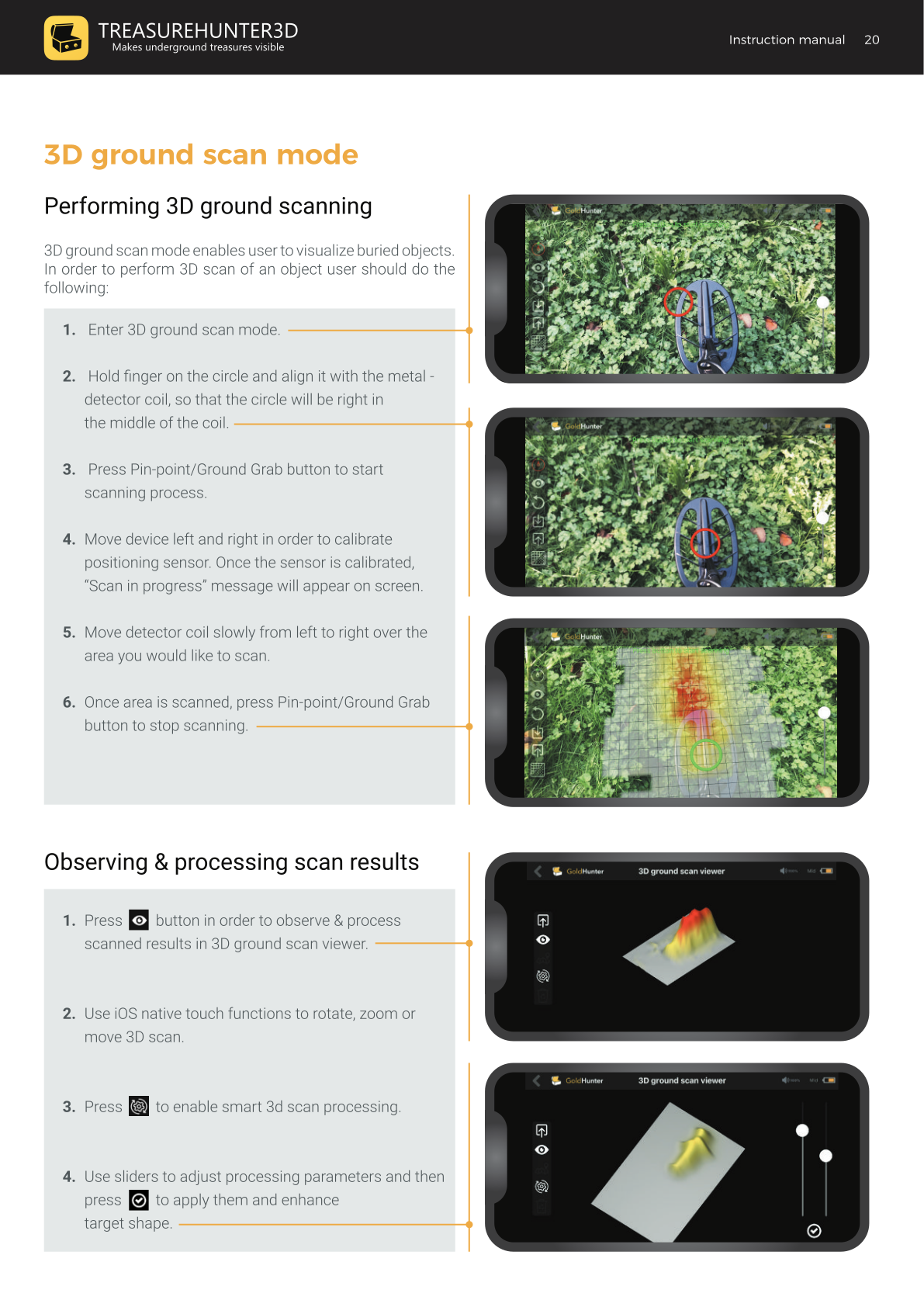
- Enter 3D Ground Scan from the main menu.
- Hold your finger on the on-screen circle and align it with the centre of the searchcoil, so the circle sits right in the middle of the coil on screen.
- Press the Pin-point / Ground Grab button to start the scanning process.
- Move the device left and right to calibrate the positioning sensor. Once calibrated, the message "Scan in progress" appears on screen.
- Move the detector coil slowly from left to right over the area you want to scan.
- When finished, press the Pin-point / Ground Grab button again to stop scanning.
What You Can Adjust During Scanning
| Control | Action |
|---|---|
| Transparency slider | Adjust how opaque the scanned data overlay appears |
| Scanning circle position | Reposition the alignment circle if needed |
| Restart button | Clear the current scan and start a new one |
| Device handling indicator | Observe whether you are holding the device correctly |
Observing & Processing Scan Results
After scanning, tap the viewer button to open the 3D ground scan viewer.
In the viewer you can:
- View the scan in 2D or 3D
- Rotate, zoom, and pan the 3D scan using standard iOS touch gestures
- Enable smart 3D scan processing to enhance target shapes
- Use the processing sliders to fine-tune the enhancement, then apply to sharpen target outlines
3D Scan Examples
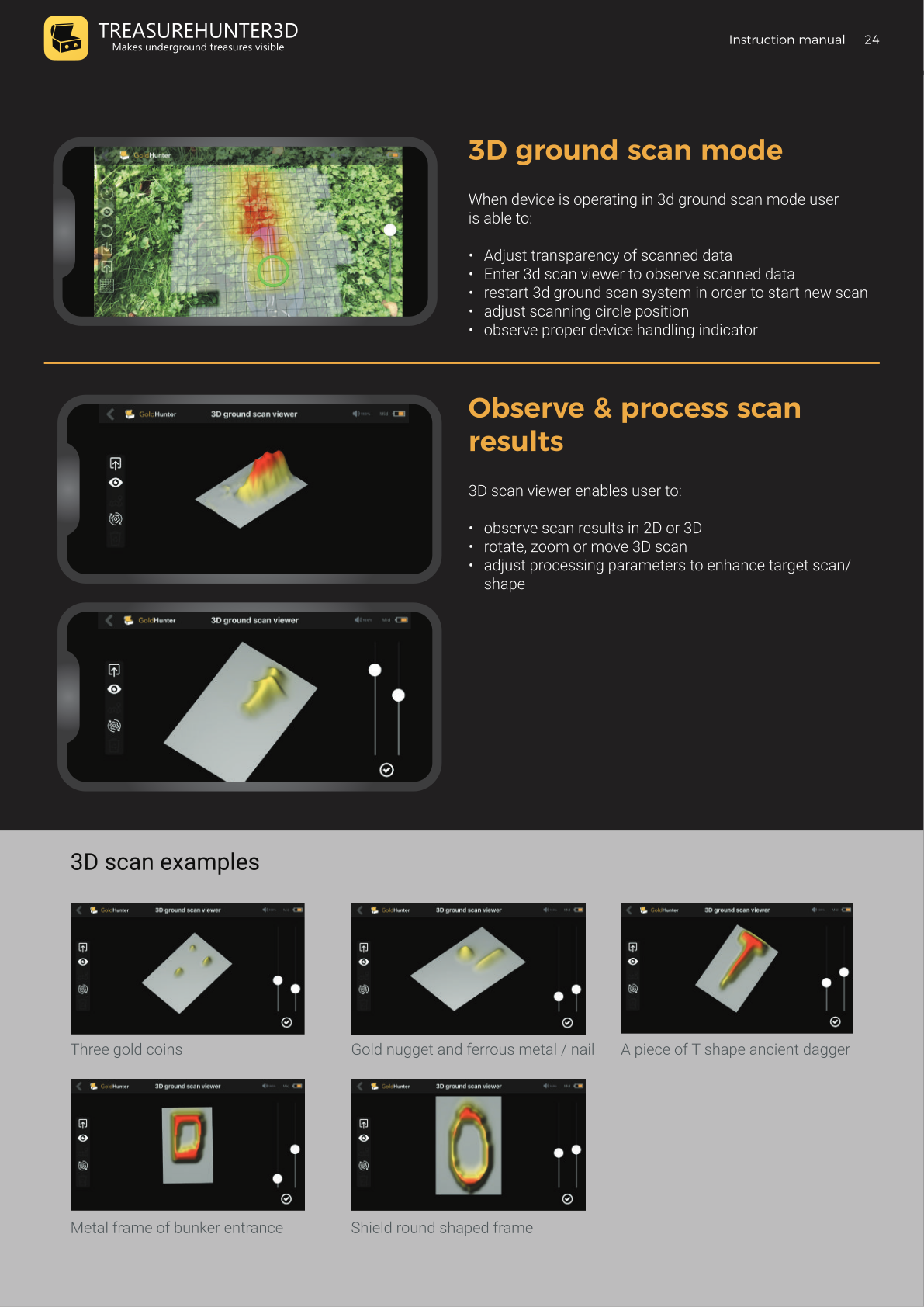
The 3D viewer displays buried objects as raised peaks. Examples of what GoldHunter can visualise:
- Three gold coins
- A gold nugget alongside a ferrous metal / nail
- A piece of a T-shaped ancient dagger
- A metal frame of a bunker entrance
- A shield round-shaped frame
Sharing & Saving Scans
From the 3D ground scan mode, tap the Share button to:
- Share snapshot — export the current view as an image
- Share CSV — export the raw scan data as a comma-separated file for import into other 3D mapping software
To save a scan, enter a file name when prompted and tap OK. Saved scans can be accessed later from Browse Stored Scans.
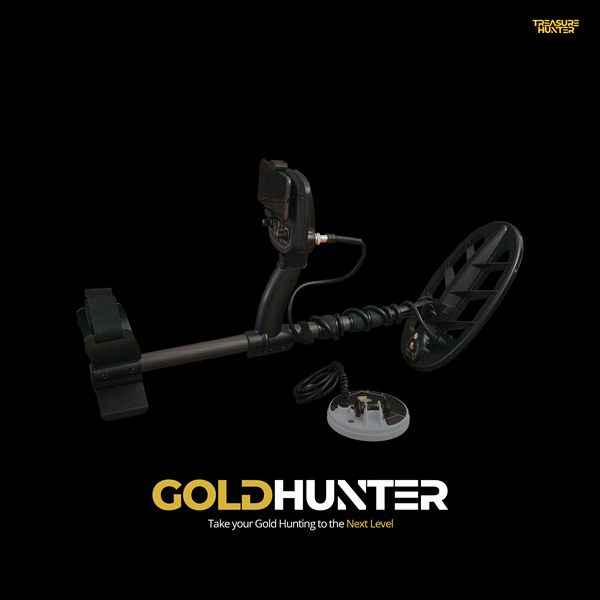
GoldHunter
Metal Detector with 3D Smartphone Visualization
€2,499· ★★★★½ 4.8 (36 reviews)
GoldHunter — free iOS app required for 3D scanning