Troubleshooting
Drone Doesn't Take Off When Mission Is Started
| Possible Cause | Fix |
|---|---|
| Drone not connected | Connect the iPhone to the remote controller with the USB cable. Ensure both the drone and remote controller are powered on and firmware is up to date (use DJI Go 4). |
| Propellers not installed | Install all propellers. If motors start and then stop immediately, this is the cause. |
| GPS signal too low | Move the drone to an open area with a clear view of the sky and wait a few minutes. |
| Compass not calibrated | Connect to the drone using DJI Go 4 and run compass calibration. |
| Drone or remote controller battery low | Fully charge both batteries and retry. |
If none of the above resolves the issue, test the drone using the DJI Go 4 app to confirm it operates correctly before contacting TreasureHunter3D support.
DJI Go 4: https://www.dji.com/si/downloads/djiapp/dji-go-4
Sensor Data Is Not Updated
| Possible Cause | Fix |
|---|---|
| Sensor not connected to smartphone | Power on both the sensor unit and receiver unit (green LED on both), enable iPhone Bluetooth, and open the DroneRover app. The blue LED on the receiver unit should turn on. |
| Signal between sensor and receiver is too low | Verify antennas are properly installed and tightened on both units. Check that the Link indicator in the app shows a strong signal and the orange LED on the receiver is on. |
| Sensor unit is broken | If only the green LED is on (orange LED never turns on), contact TreasureHunter3D technical support. |
Drone Location Is Not Visible or Wrong
Restart the DroneRover app and reconnect the USB cable between the iPhone and remote controller. Make sure the top of the drone has a clear view of the sky and wait for the drone to acquire enough GPS satellites. The DroneRover app requires a stable GPS lock to function correctly.
DroneRover App Crashes
If you can reproduce the crash, please send TreasureHunter3D:
- The exact steps to reproduce the problem.
- The crash log files from your iPhone. Instructions for finding crash logs: https://help.getpocket.com/article/1098-how-to-find-the-iphone-ipad-app-crash-logs
GPS Location & Video Not Updated in Real-Time (Lag)
This is usually caused by wireless interference near the drone. Try:
- Restart the remote controller, drone, and DroneRover app.
- Replace the USB cable between the iPhone and remote controller with a known-good cable.
- Close all apps on the iPhone except DroneRover and ensure the battery is full.
Drone Does Not Connect to the DroneRover App
| Possible Cause | Fix |
|---|---|
| Drone or remote controller not powered on | Turn both on before launching the app. |
| iPhone not connected via USB | Connect the iPhone to the remote controller with the original USB cable. |
| Automatic mode unavailable | Automatic flight mode requires the DJI Phantom 4 Advanced. With other drones, only Fast Scan and manual flying are supported. |
| Outdated firmware | Update drone and remote controller firmware using DJI Go 4. |
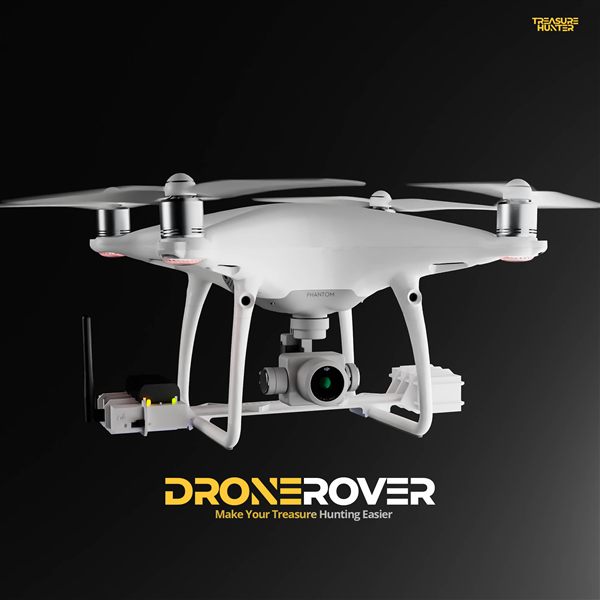
DroneRover
Aerial Underground Scanner — DJI Phantom 4 Advanced
€5,299· ★★★★½ 4.9 (18 reviews)
DroneRover — free iOS app required to operate the system