Sensor Unit
The sensor unit detects underground targets and transmits target data wirelessly to the receiver unit. It must be mounted on the drone before each flight.
Indicators
| LED | Color | Meaning |
|---|---|---|
| Power | Green | Device is turned ON |
| Sensor status | Orange | Sensor is ready and operating correctly |
Controls
| Control | Description |
|---|---|
| Slider switch | Turns the sensor unit ON / OFF |
Notes
- The orange LED should turn ON within a few seconds of powering the unit. If it does not, check the batteries and antenna connection.
- Ensure the antenna is securely tightened before every flight.
- Batteries: 2× AA alkaline (non-rechargeable). Replace when the green LED is dim or the unit fails to power on.
Troubleshooting
| Problem | Likely cause | Action |
|---|---|---|
| Green LED does not turn on | Dead or missing batteries | Replace with fresh 2× AA alkaline batteries |
| Green LED is very dim | Low battery charge | Replace batteries before flying |
| Orange LED does not turn on | Antenna loose or disconnected | Hand-tighten the antenna; do not over-tighten |
| Orange LED does not turn on after antenna check | Unit fault | Power cycle the sensor unit |
| No data received by app during flight | Wireless link lost | Land the drone, power cycle both units, and reconnect the app |
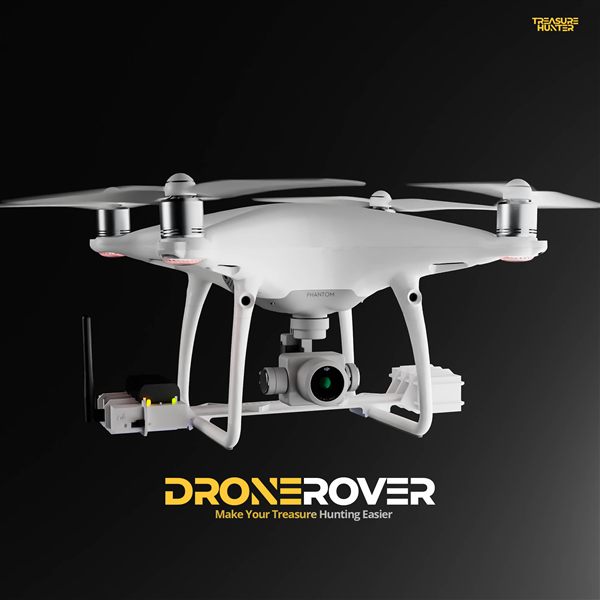
DroneRover
Aerial Underground Scanner — DJI Phantom 4 Advanced
€5,299· ★★★★½ 4.9 (18 reviews)
DroneRover — free iOS app required to operate the system